

GN IDs Web App
Publish or Republish Programs
Publish a Program
You can publish program individually or as a batch using the Bulk Publish feature.
To publish an individual program:
- Go to gracenoteview.com and log in.
- Click ID Distribution System at the top of the screen. This opens the GN IDS web application showing the Programs page.
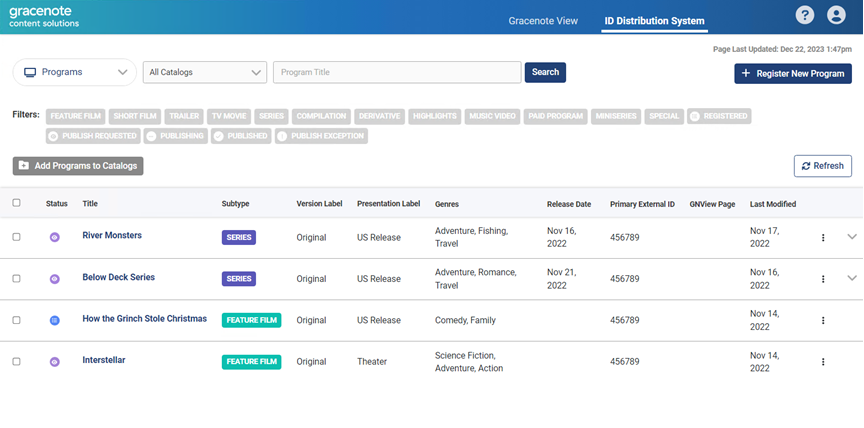
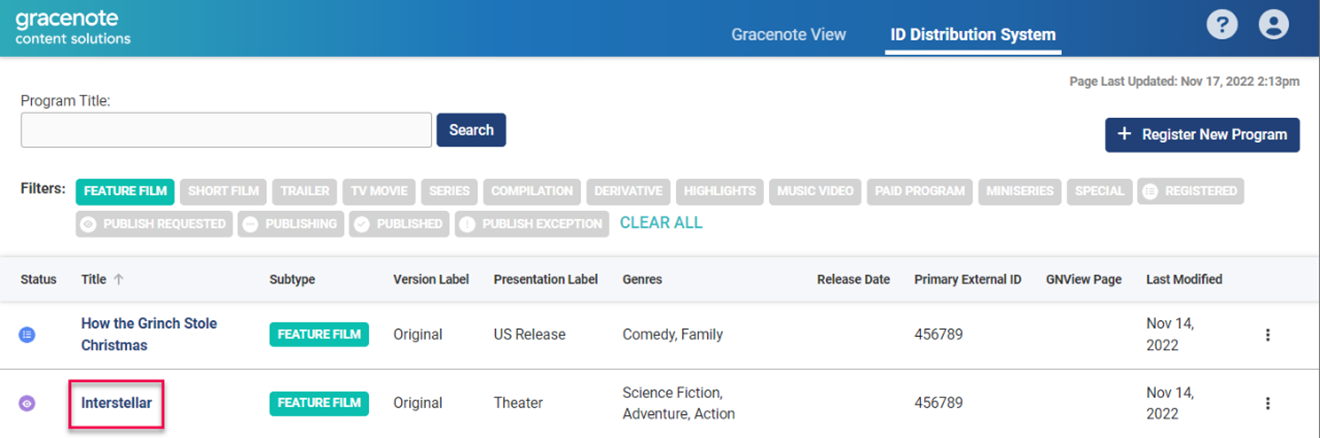
To navigate back to the Program page from other pages, use the dropdown menu. Select Programs. - Click on a program title to open the program's edit page.
- On the program's edit page, click the Edit button.
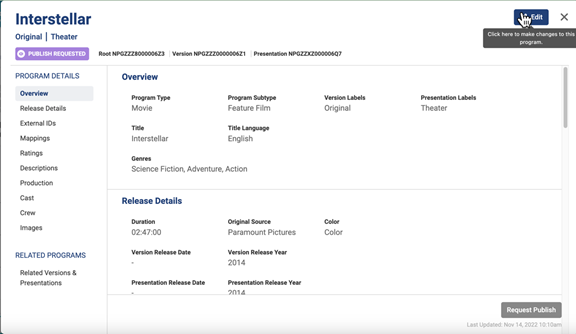
- Add the required content for publishing. The required fields for publishing include Genre, Release Date, and Release Year
- Optional: Click Mapping and enter a tmsID to associate with this program. GN IDS will immediately associate this "self-mapping" ID with the program.
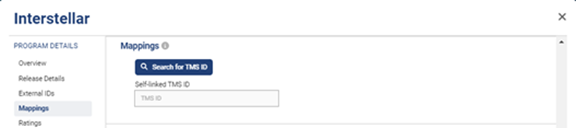
- Optional: Enter other information about the program before publishing.
- Click the Save button.
- On the program's edit page, click the Request Publish button.
- At the prompt, click Request Publish or click Cancel to make corrections.
Note: The Request Publish button will be inactive if there are missing fields. The publish page shows the missing information in red text.
Republish a Program
You may want to republish a program to update images, change metadata, or add new information.
To republish a program:
- On the program's edit page, click the Edit button.
- Add the required content for republishing.
- Click the Save button.
- On the program's edit page, click the Republish button.
- At the prompt, click Republish* or click Cancel to make corrections.
Notes: When you republish a program:
- Currently, your changes will be applied to your program without notification.
- Source Data Delivery (if enabled) will continue to deliver programs even after republishing.
Publish Episodes
To publish an episode:
- Click the toggle row expand button to the far right of the series row. This opens the season panel.
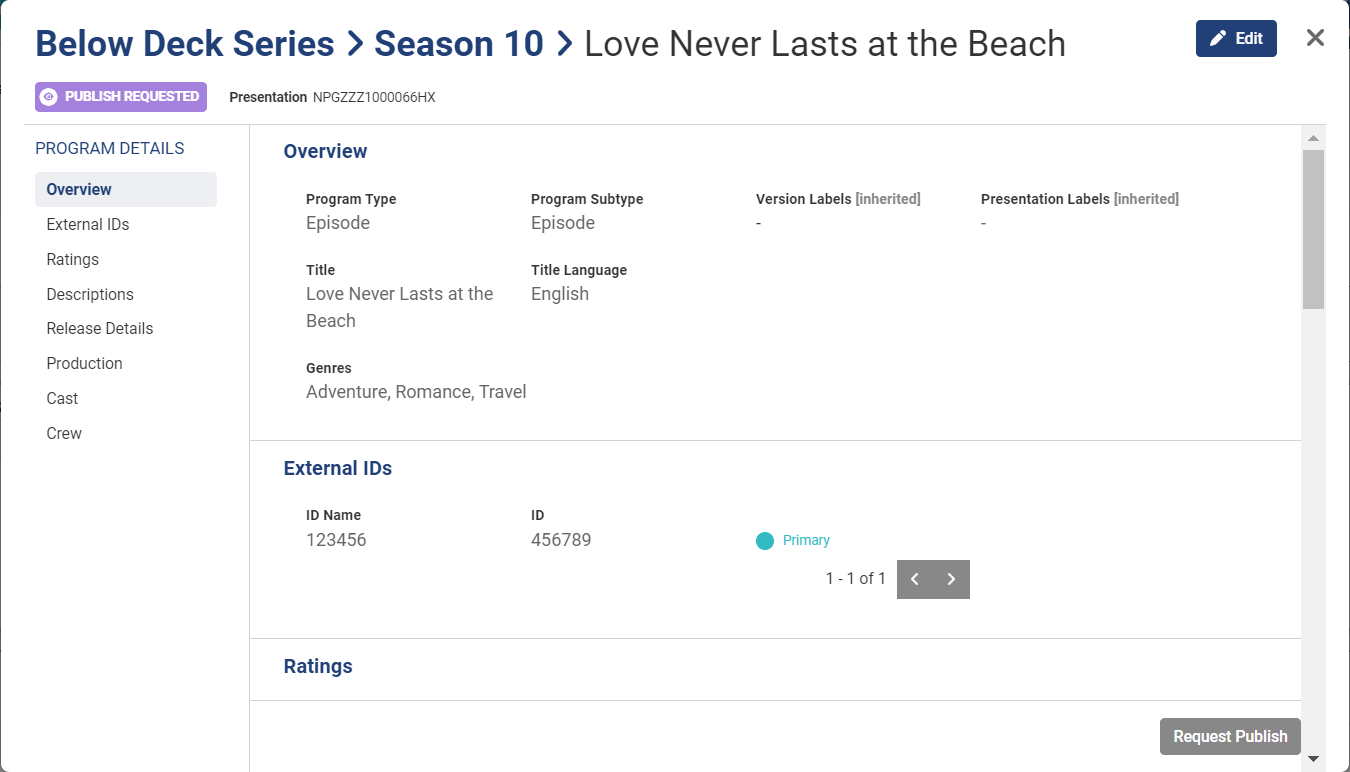
- Click the Request Publish button.
- At the prompt, click Publish to confirm the request.
Note: Publishing an episode also "publishes" its season information. Season metadata is included within episode records.
Last modified on